Account and Security Settings
Your Account Settings is where you can change your name and your password.
Changing your Name
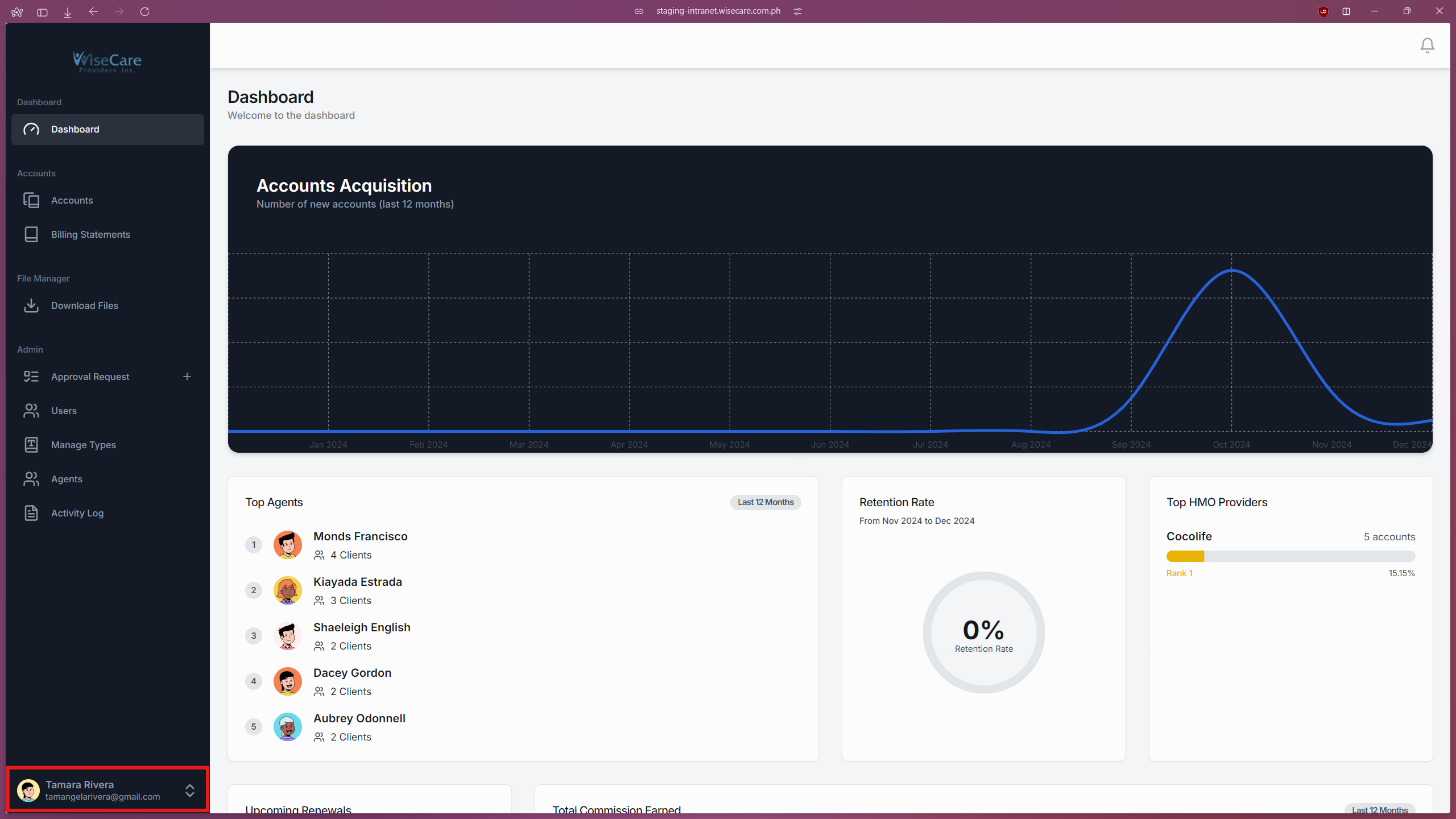
Access the Account Menu
Click on your name at the bottom of the side navigation bar.
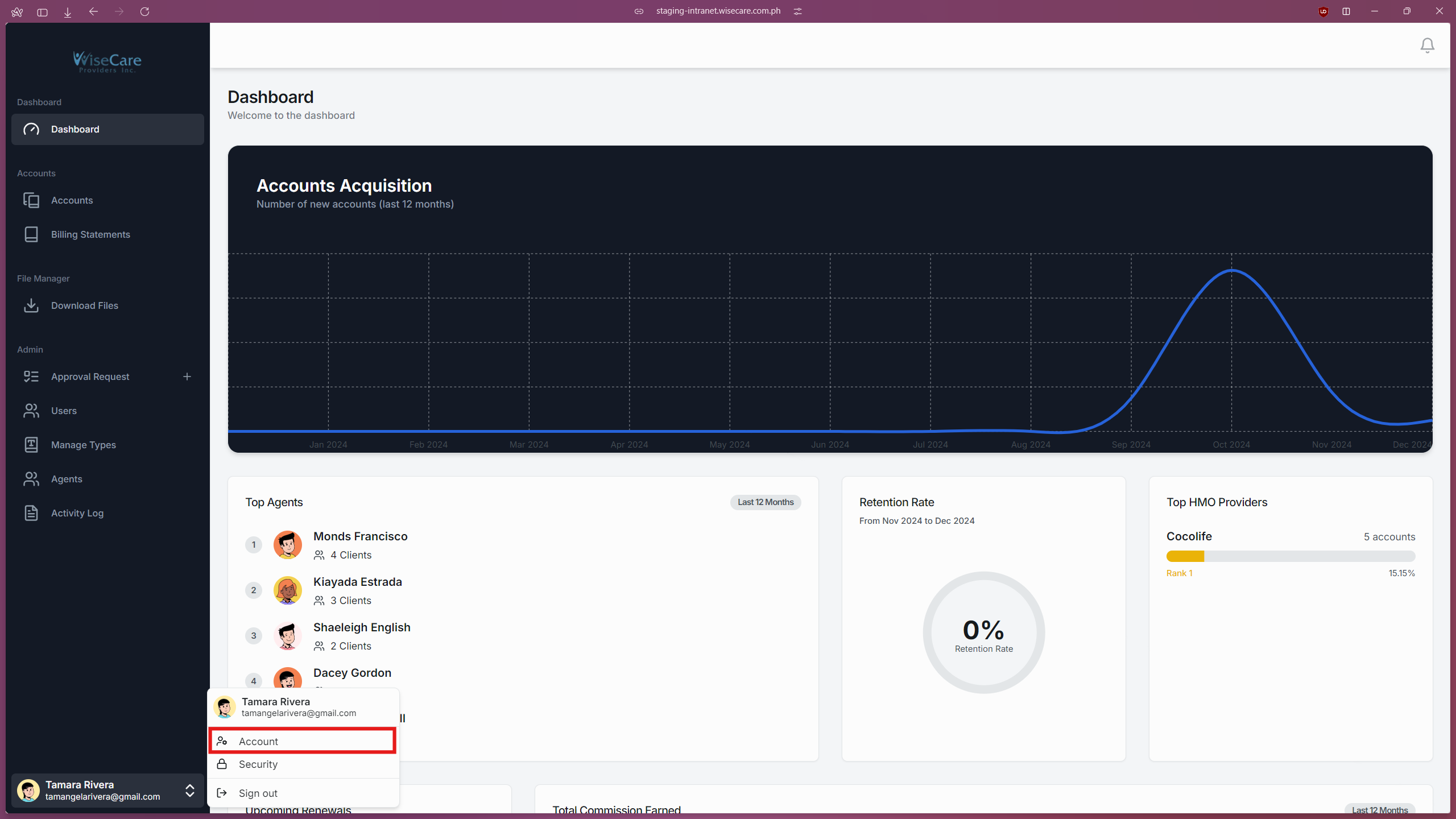
Open Account Settings
From the menu that appears, click on "Account".
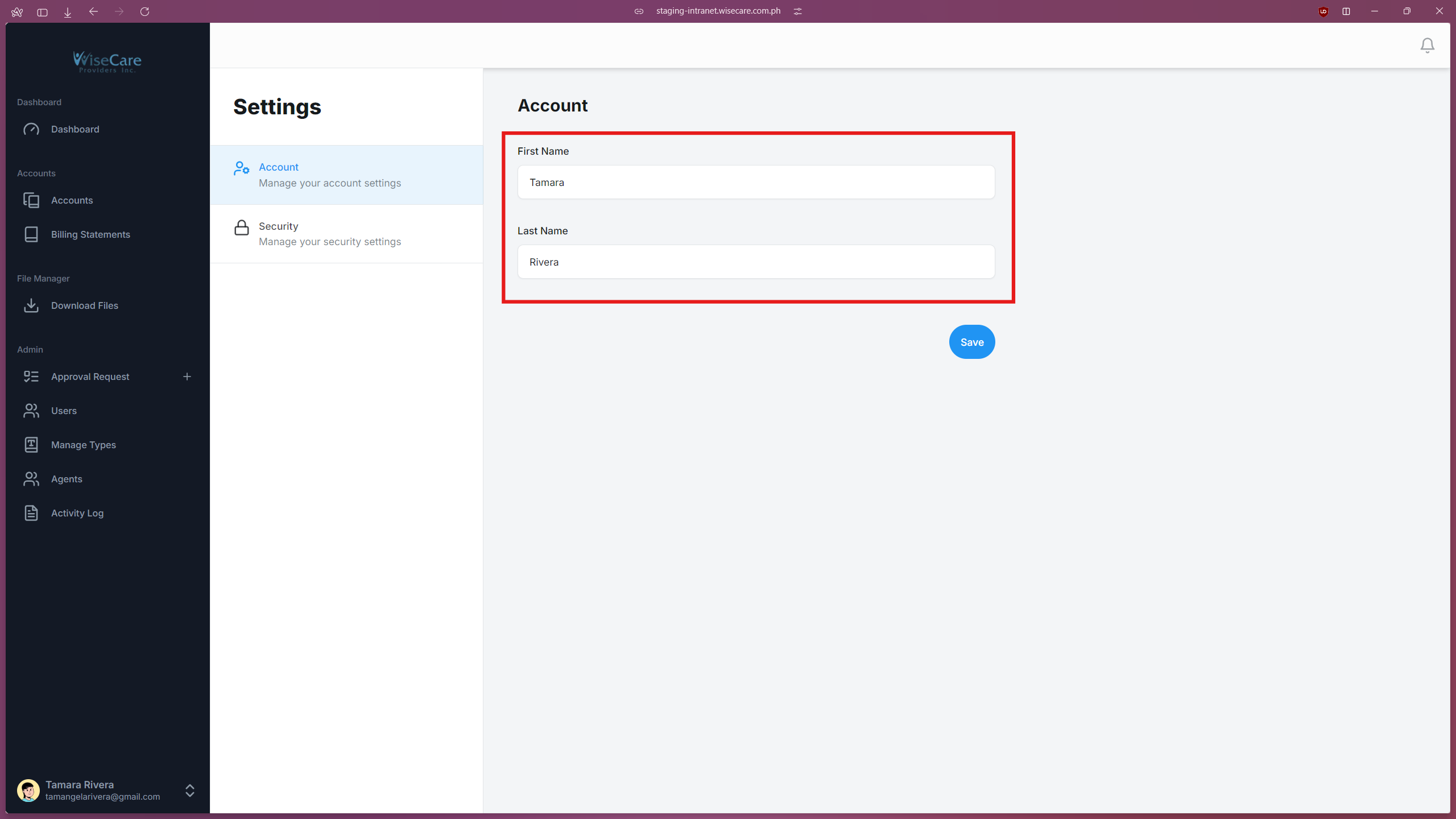
Edit Name Fields
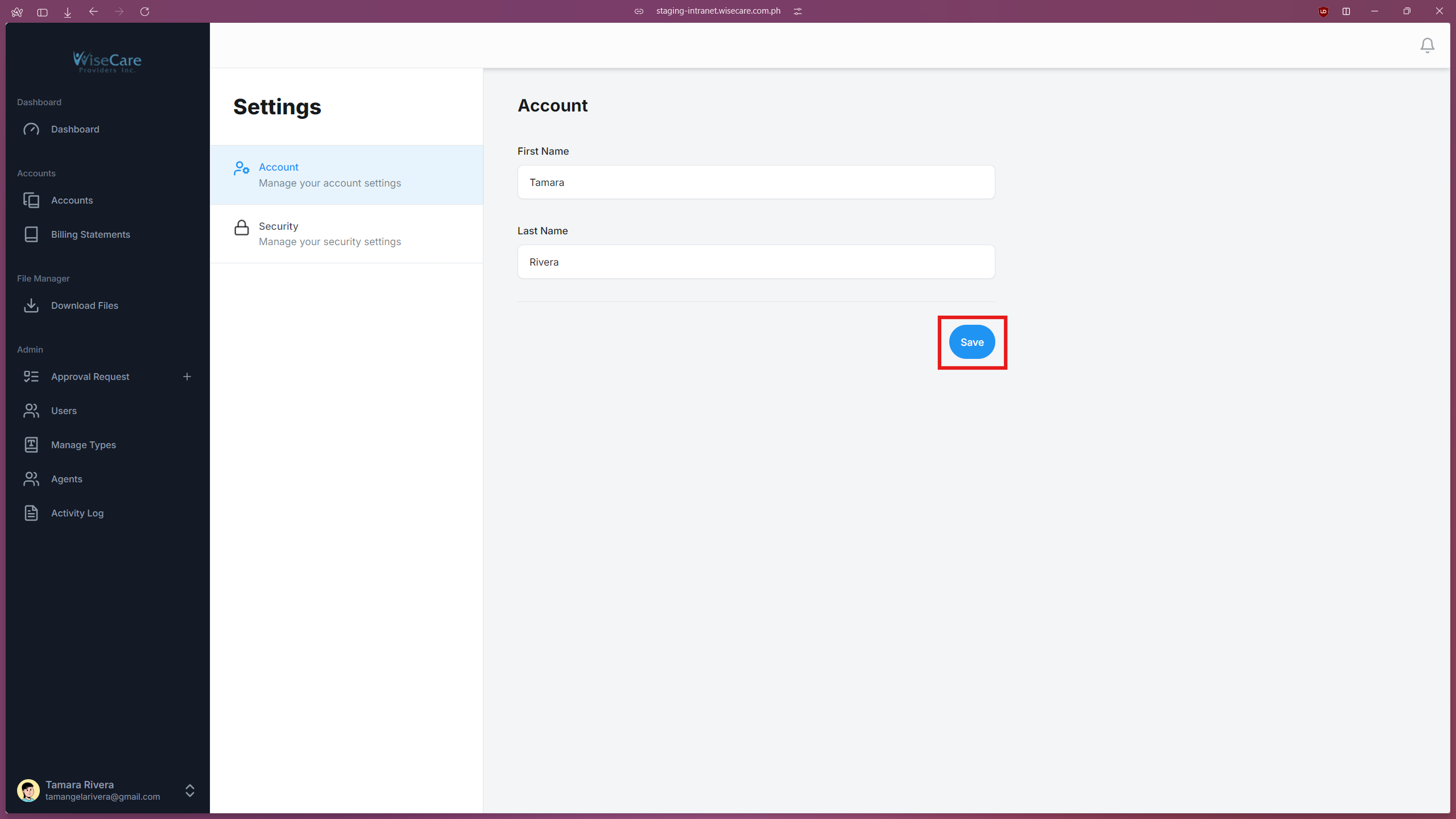
In the form, locate the fields labeled "First Name" and "Last Name".
Enter the desired changes into these fields.
Save Changes
Click on the "Save" button to apply the updates.
Changing your Password
Access the Security Menu
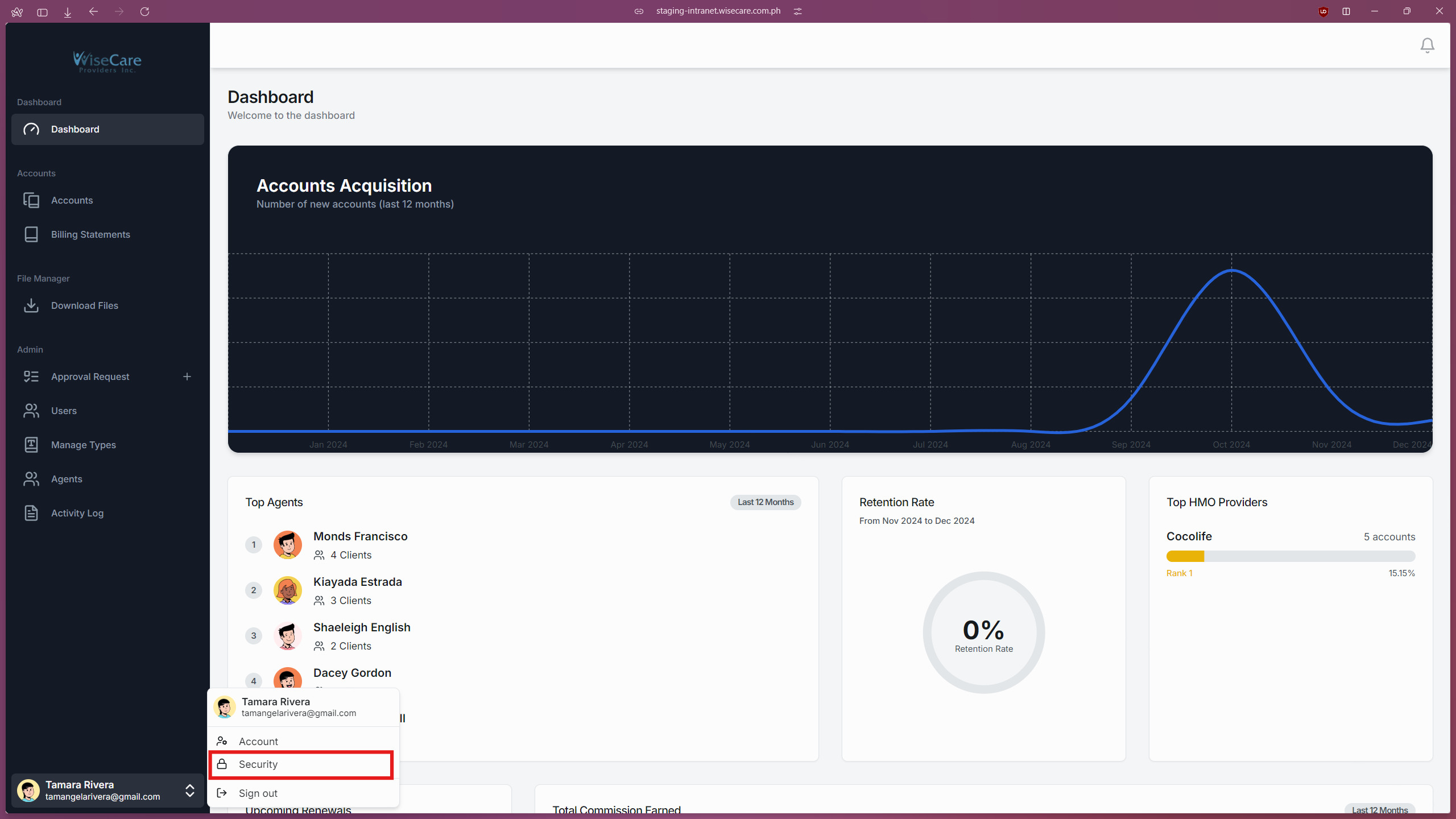
Click on your name at the bottom of the side navigation bar.
Open Security Settings
From the menu that appears, click on "Security".
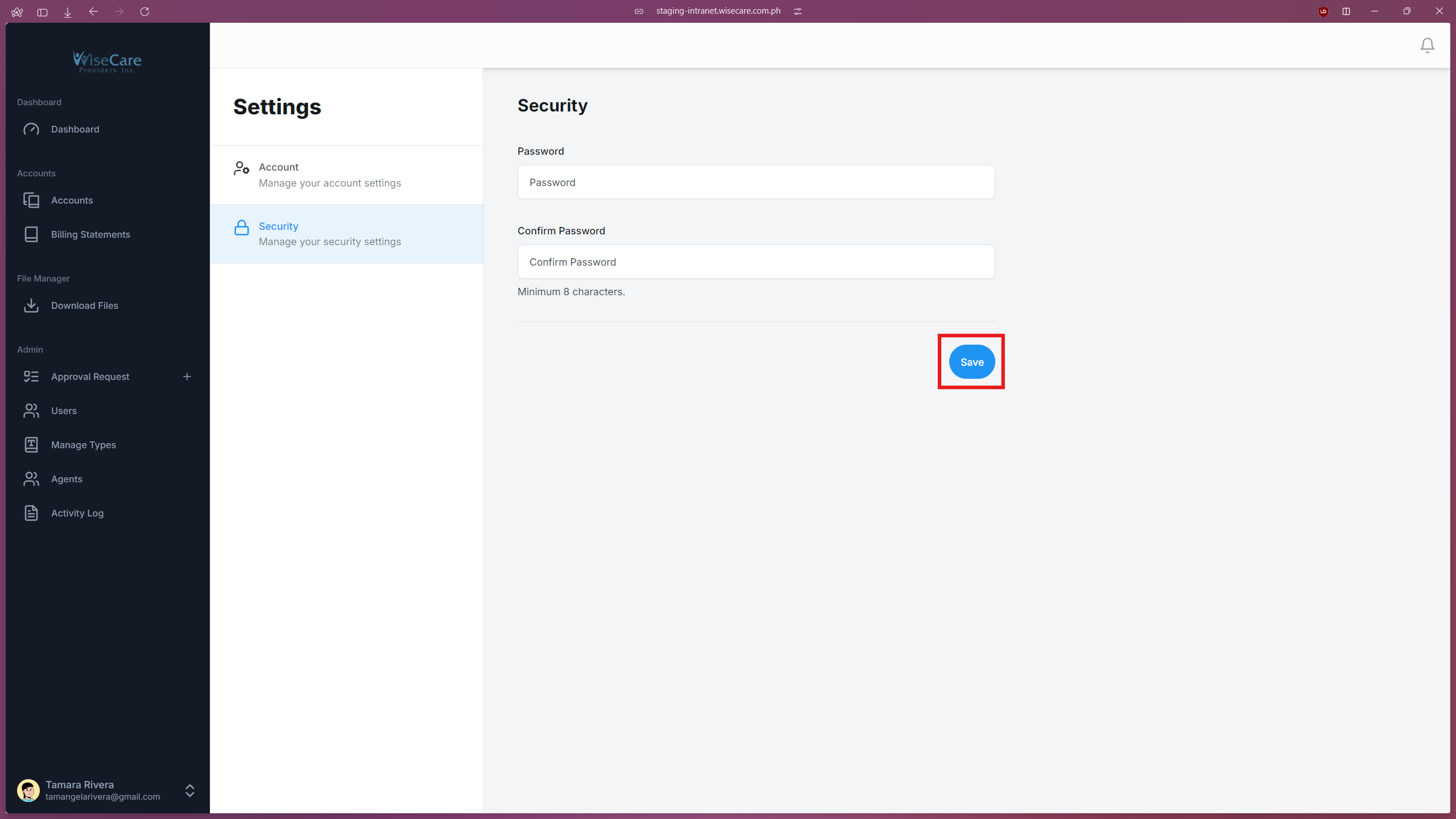
Edit Name Fields
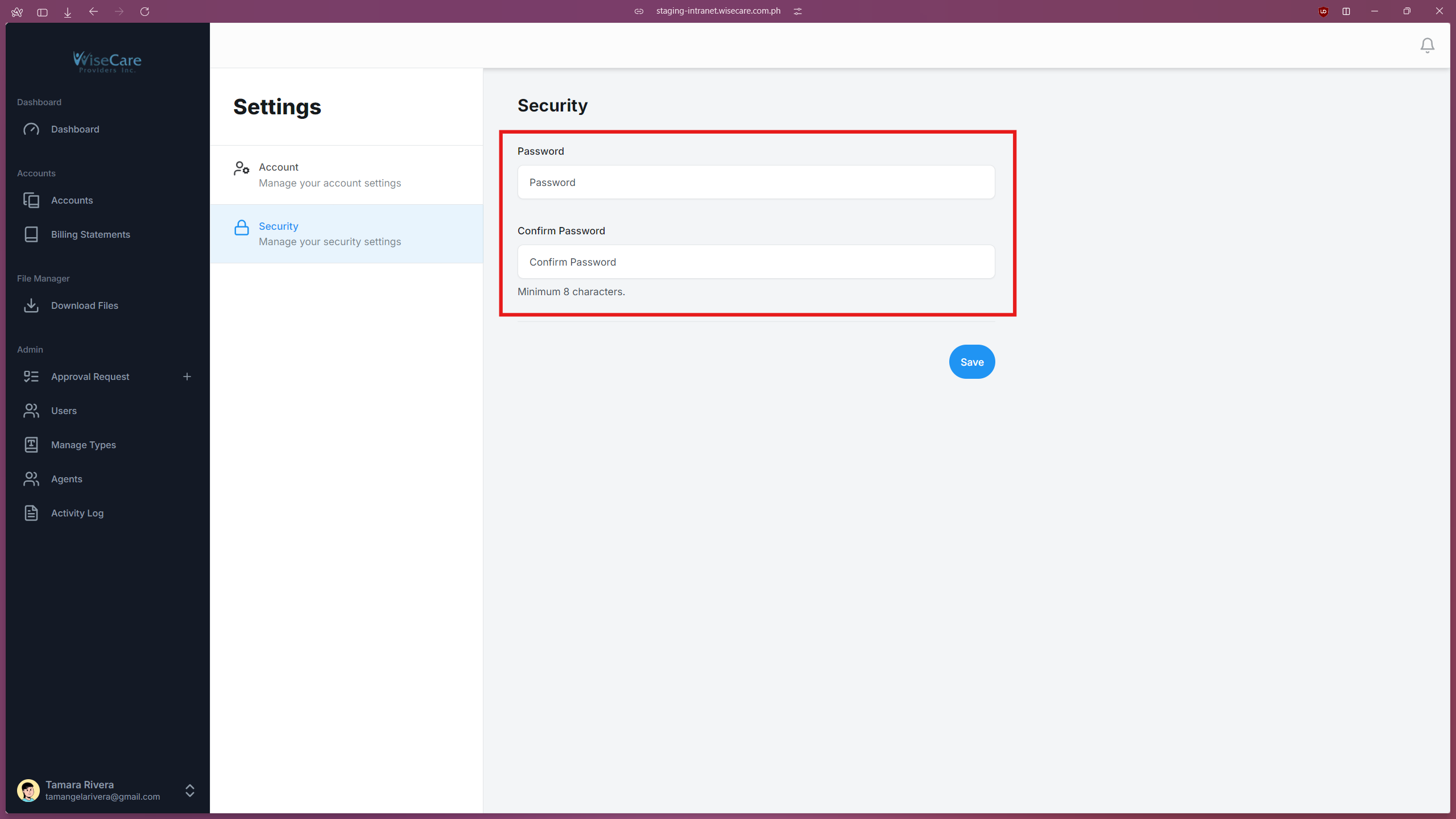
In the form, locate the fields labeled "Password" and "Confirm Password".
Enter the desired changes into these fields.
Save Changes
Click on the "Save" button to apply the updates.