Resetting your Password
If you forgot your password, follow these steps:
Click "Forgot Password"
On the login page, click the Forgot Password button located below the password field. This will redirect you to the Forgot Password page.Enter Your Registered Email
Input the email address associated with your account in the provided field.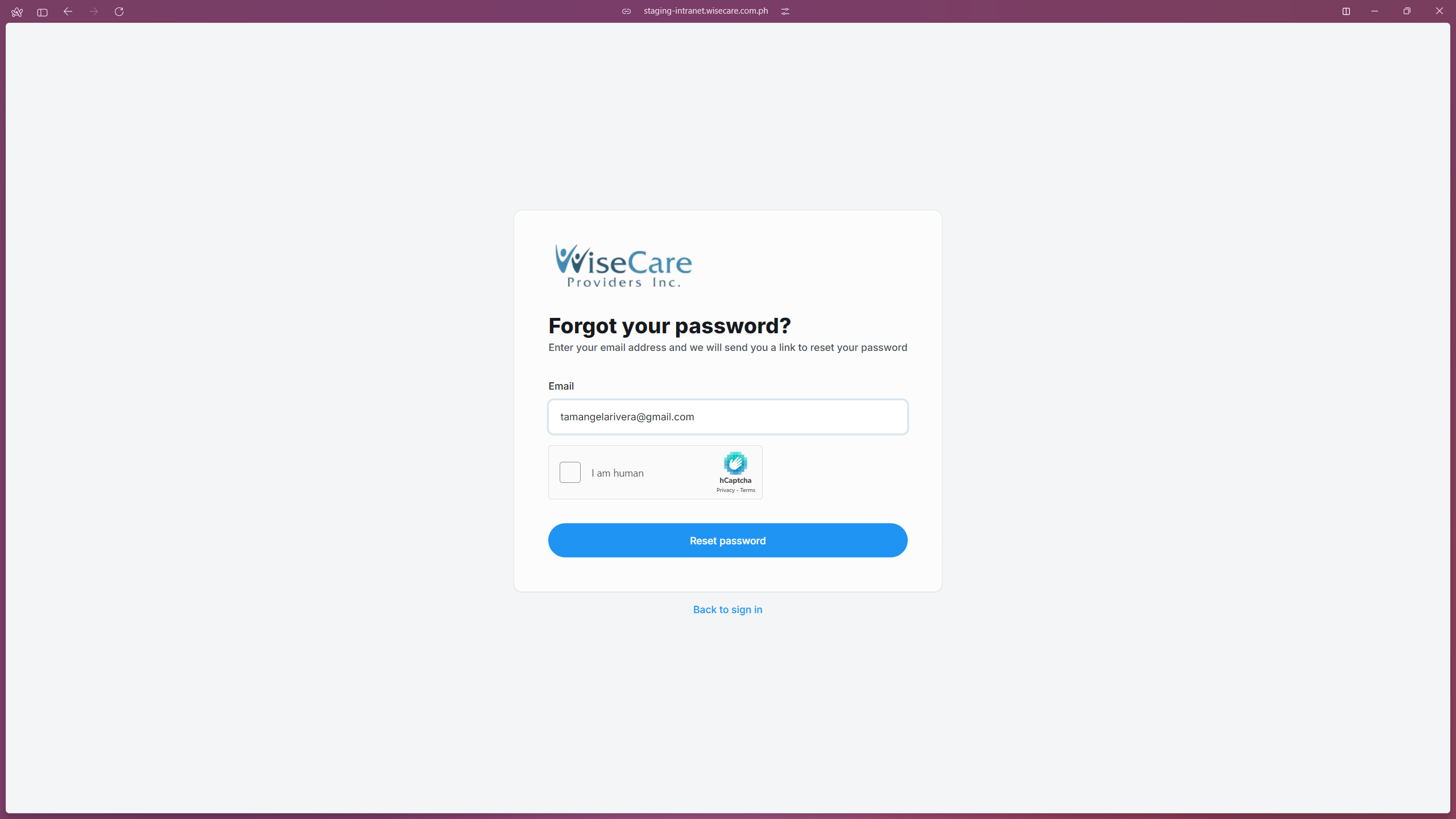
Verify CAPTCHA
Complete the CAPTCHA verification by clicking the "I am human" checkbox and following the on-screen instructions to confirm you are not a robot.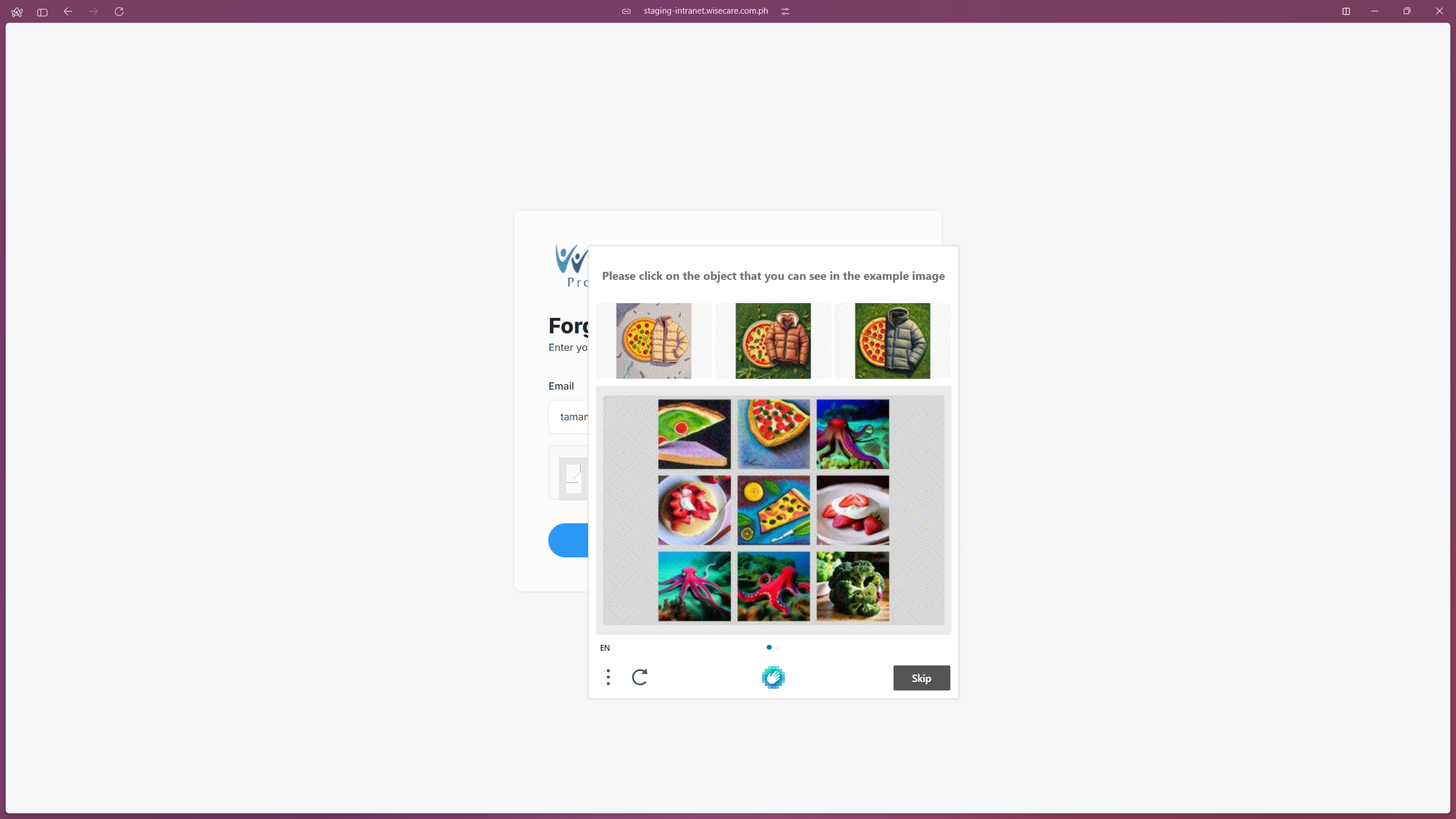
Request a Password Reset
Click the Reset Password button. An email containing a password reset link will be sent to your registered email address.Reset Your Password
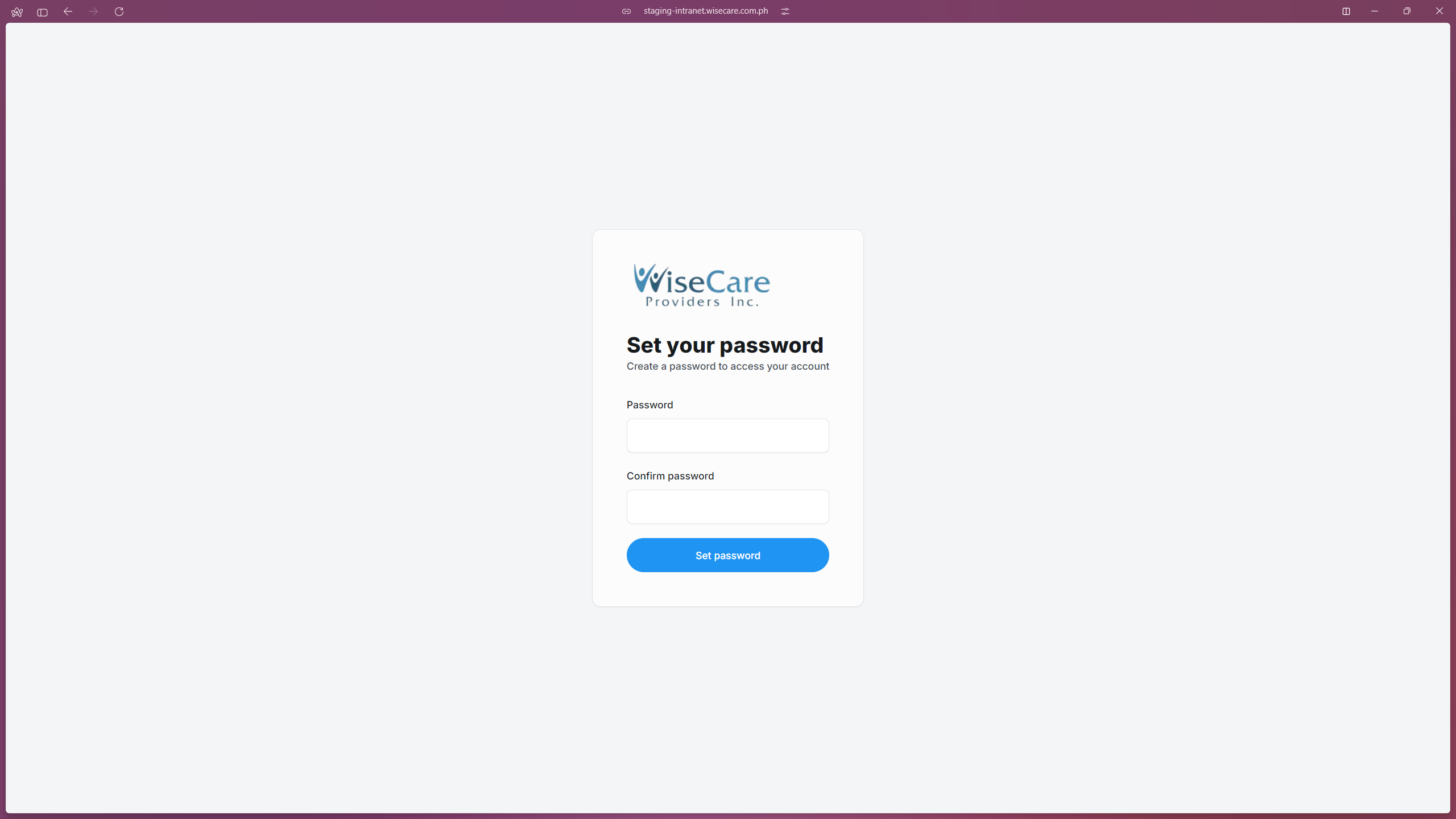
Open the email and click on the provided link. Follow the instructions to create a new password and click on the Set Password button.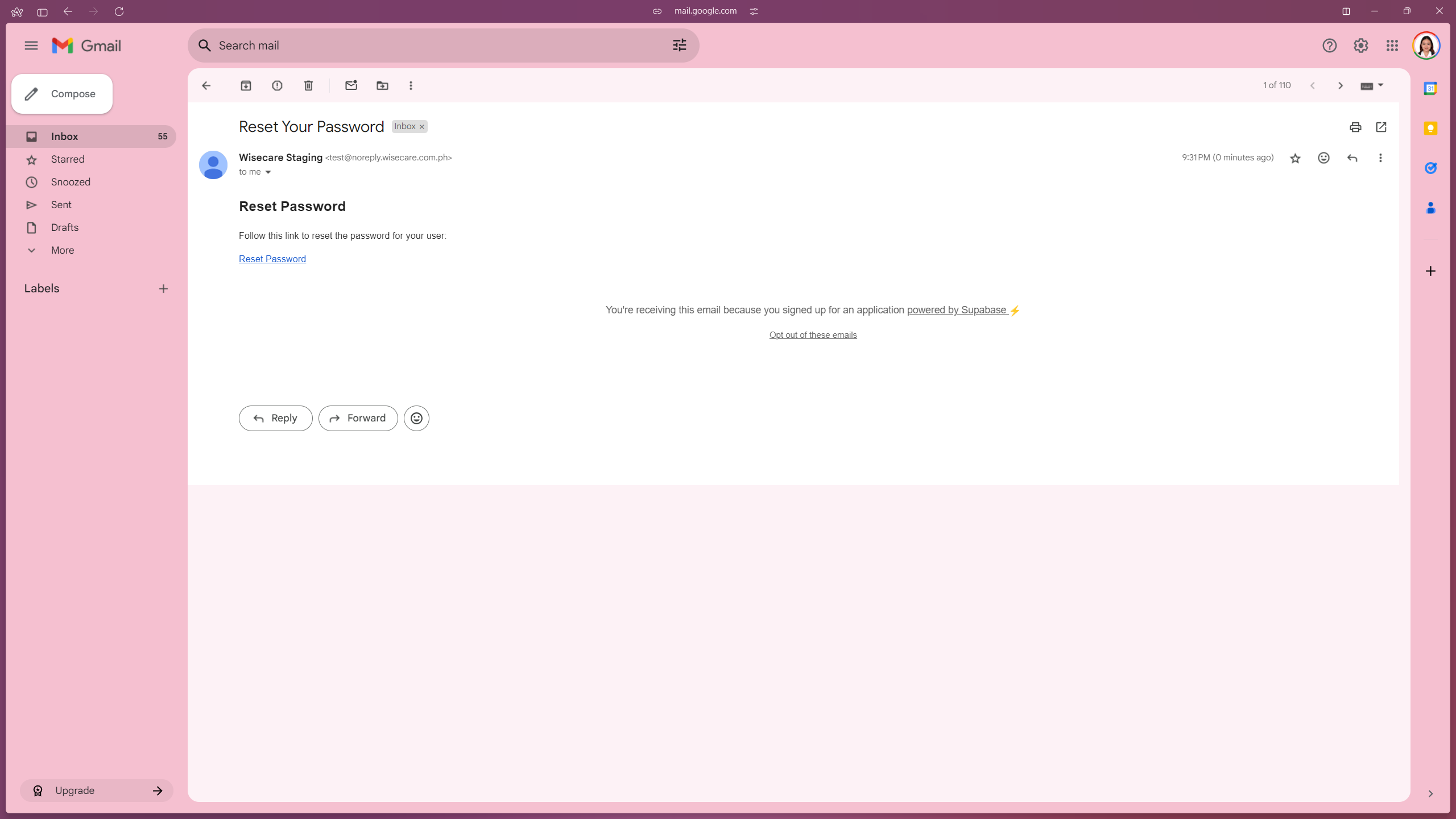
Dashboard Page
After setting your new password, you will be redirected to Dashboard page.